For restaurants · pickup, dine-in and delivery
Every call becomes a ticket.
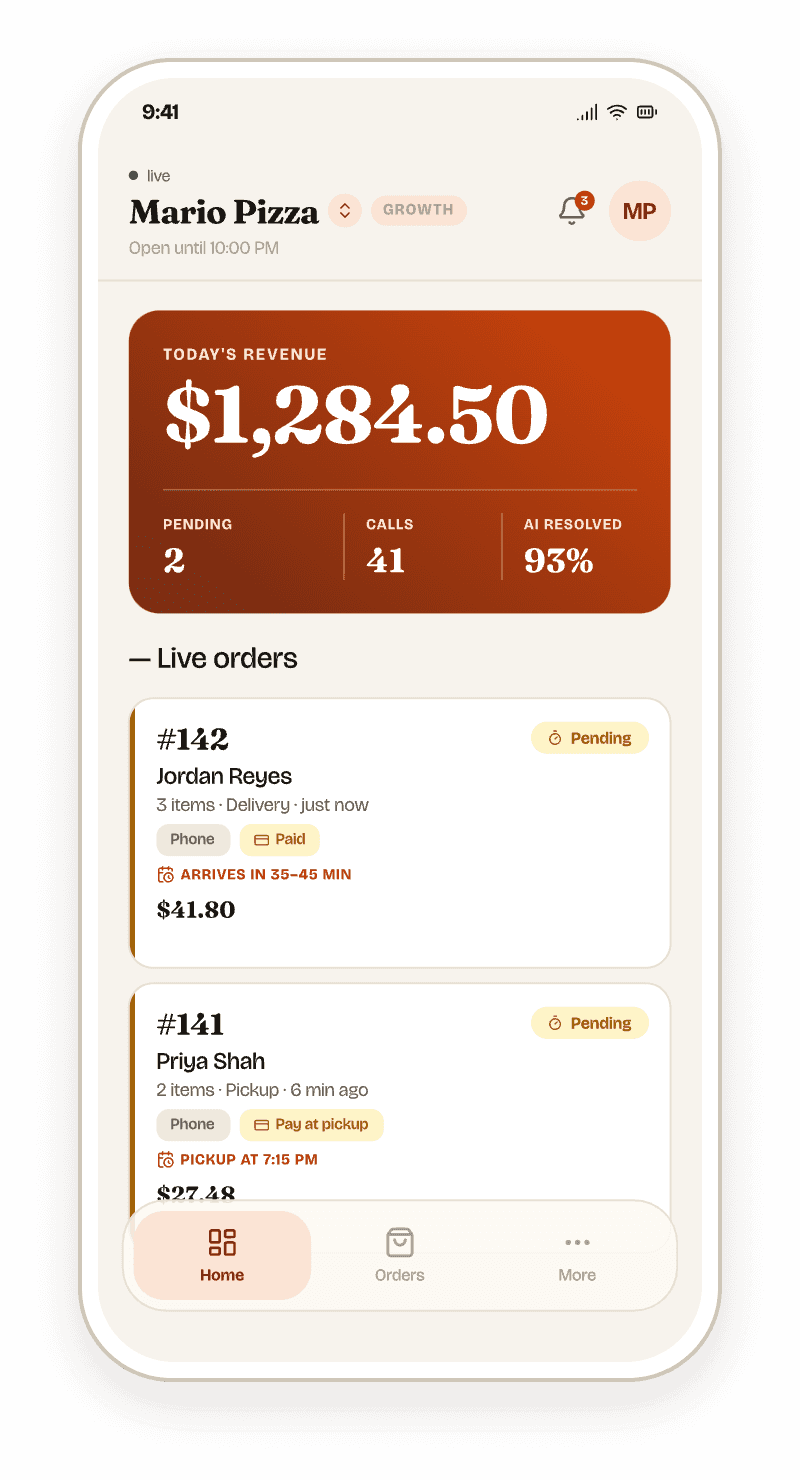
Callra answers on the first ring, takes the whole order against your live menu, reads back the total, and sends the ticket to your app and your POS. The guest gets a text with a tracking link before they've put the phone down.
Free to sign up and set up. Your plan is quoted on your real call volume.
— One call, start to finish
From ring to kitchen in 74 seconds.
A sample order on a Friday night, as it happens. Nobody on your team touched the phone.
- 0:00Rings onceCallra picks up and greets the caller with your restaurant's name.
- 0:06Takes the orderThin crust, half sausage, no olives. Checked against your live menu, sold-out items and all.
- 1:04Reads back the totalDelivery fee and tax included, so the price they agree to is the price they pay.
- 1:12Ticket is inIt lands in the Callra app and your Square or Clover queue, and prints on your receipt printer.
- 1:14Guest gets a textOrder number, the time it'll be ready, a tracking link, and a pay link if you want one.
— Everything a good host does
It knows your menu, your hours and your kitchen.
- The whole orderModifiers, substitutions, combos and allergy notes, resolved on the call. Sold-out items get an alternative, not a promise.
- Pickup, dine-in or deliveryDelivery fees and large-party service charges are added the way you set them, and scheduled orders are checked against your hours.
- Real prep timesIt quotes the time from your own rules, longer at peak and for big orders, and that same time goes on the ticket and the text.
- Closed means closedOutside your hours it won't take an order for now. It offers to schedule one for when you're open, or doesn't answer at all if you prefer.
- Catering leadsBig events become a lead with the date, headcount and budget, waiting in your dashboard for you to call back.
- A person when they want oneAsk for a human and it transfers to your number. Your regulars and suppliers can skip the agent altogether.
— Lands where you already work
Your POS, your payment provider, your phone.
- Square
- Clover
- The Callra app
- Stripe
- Converge (Elavon)
- Clover
- Square
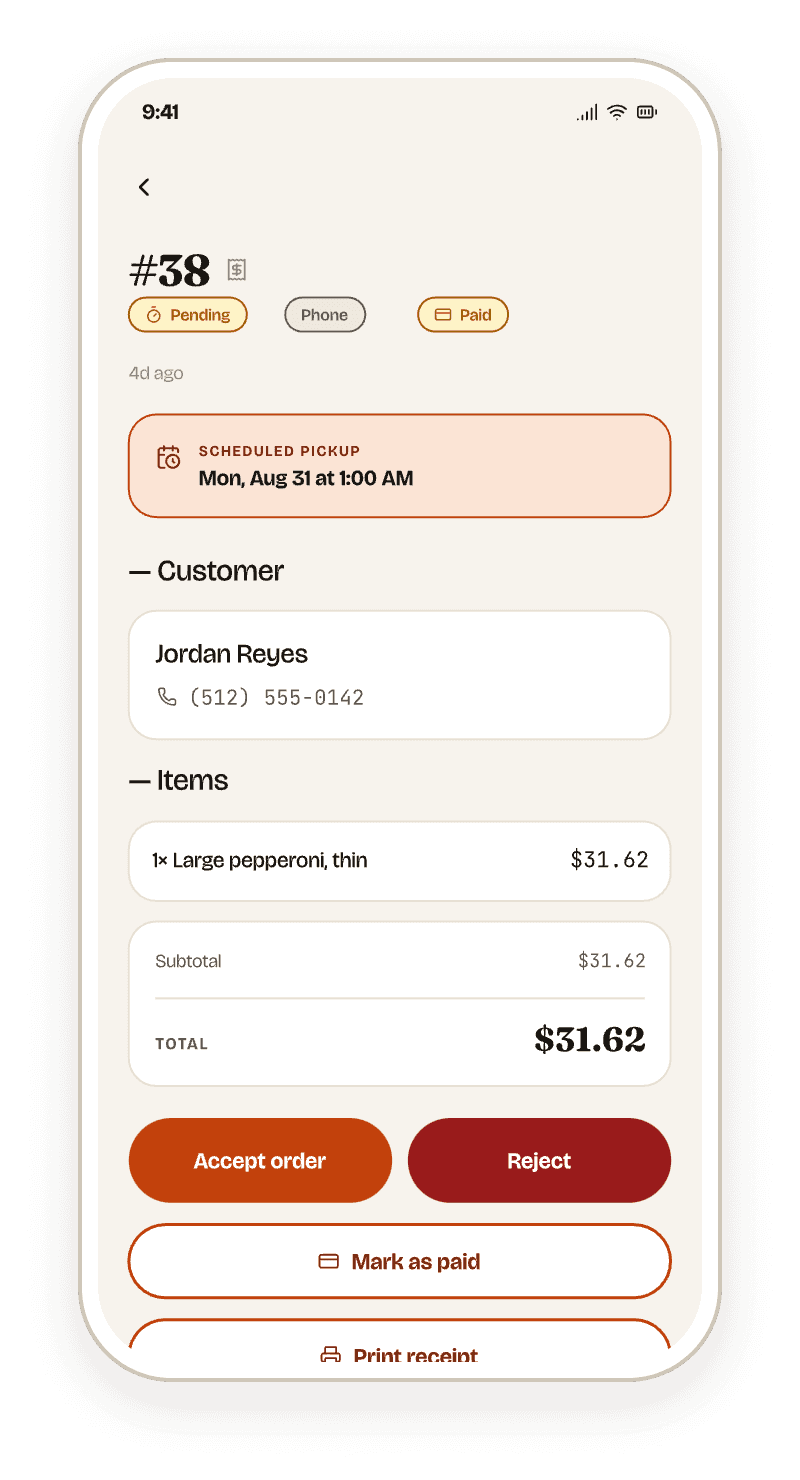
- Accept, reject or mark paid from your phoneThe same order on the web dashboard and the app, with a sound you choose for new orders.
- Card details are never said out loudGuests pay through a secure link. Callra never stores card numbers.
— Included, not an add-on
A website that takes orders, built from the same menu.
Switch on your ordering site and guests can tap through the same menu the phone agent reads from. Prices, modifiers and sold-out flags stay in sync, and web orders land next to phone orders. It costs nothing extra.
And on the phone
13 languages. A bilingual line follows the caller between English and Spanish, mid-sentence if it has to.
— Pricing
Priced on your real call volume, not a rate card.
A Friday at a pizza shop and a Tuesday at a café are different businesses. Create your account, set up your menu, and our team quotes a plan that fits how often your phone rings. Every language is included either way.
No setup fee. Nothing is charged until your plan starts.
- Every restaurant plan includes
- Every call answered, any hour
- Orders to the app and to Square or Clover
- Text with tracking, and pay links if you want them
- Your own ordering website
- All 13 languages
- A phone number, or forward the one you have
Frequently Asked Questions
Straight answers about how Callra Phone AI works, what it integrates with, and how it stays compliant.
Callra Phone AI answers your restaurant's inbound calls using natural language AI, 24 hours a day, 7 days a week. It greets callers with your restaurant name, takes the full order including add-ons and substitutions, handles payment through a secure SMS checkout link, and sends the finished order straight to your POS ticket queue. At any point the caller can ask for a person and the call is transferred to your line.
Callra Phone AI integrates natively with Clover and Square, including menu import and order forwarding. Native integration means there is no middleware or third-party API layer. Orders write directly to your POS ticket queue in real time. Contact sales to confirm your POS system is supported before signing up.
Payments are processed by PCI-DSS-compliant providers: Stripe, Converge/Elavon, Clover, and Square. Card details are entered through a secure hosted checkout link and are never spoken or entered during the call itself; Callra never stores raw card numbers on its own servers. Contact sales with questions about a specific payment processor.
Callra Phone AI is quoted per restaurant rather than sold off a published rate card, because cost depends on your call volume and how many locations you run. Which languages you need does not change the price — every language is included. There is no free trial: you can create your account and set up your menu for free, and our team quotes a plan on your real call volume before anything is charged.
Yes. Callra Phone AI handles complex orders including item add-ons, substitutions, variants, allergen notes, sold-out items, and scheduled orders, and supports mid-call edits and cancellations. The AI confirms the full order back to the caller, giving customers a chance to correct any misunderstandings.
Callra Phone AI is optimised for restaurants that take phone orders: pizza chains, fast casual, QSR, and multi-location independents. It works best for restaurants receiving 50 or more inbound calls per day. Contact sales to determine the best fit for your concept.
A caller can ask for a person at any point ("let me talk to someone", "is anyone there") and Callra transfers the call to your restaurant line and steps out. The agent also offers that handoff itself when a request is outside what it can do, such as an order placed outside your working hours. Every call is transcribed and saved to your dashboard, so you can see exactly what was said before the transfer.
Callra gives you the controls; you decide how to use them for your state. You can switch on a spoken recording notice that plays in the greeting before anything is captured, and the agent always answers truthfully if a caller asks whether the call is recorded. It will never deny it. Text transcripts of every call are retained. All-party consent states set a higher bar than others, so confirm your own obligations with your counsel; Callra does not provide legal advice.
Let the
Friday rush
ring.
Create your account and set it up in the app, free. It starts answering your phone the moment you pick a plan.
Three steps, no card to start
- 1Sign upWith your email or your Google account.
- 2Tell it about your businessYour menu, or your services and team, your hours and its voice.
- 3Pick a planIt starts answering. Until then, nothing is charged.
Already have an account? Sign in